

seb chat also pairs with you on code, runs hardware tests locally, and serves bridges back to Platform.
Reviewing in the CLI gives you a reviewer that already knows the project and branch — ask questions about the change, run hardware procedures the agent’s cloud machine can’t reach, and push edits back through the same chat that drafted them.
Where: your terminal, with
seb installed and seb connect previously run.Pull the PR
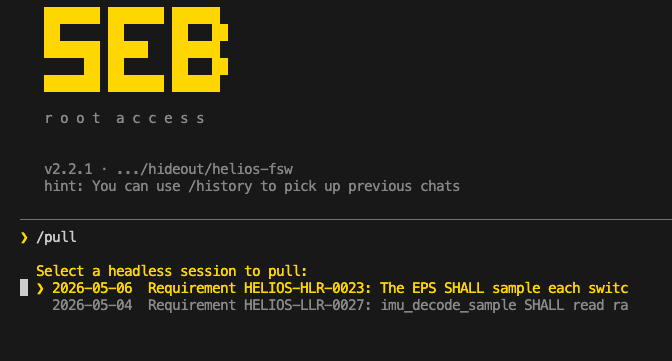
/pull lists open PRs, checks out the agent’s branch, updates your working copy, and opens the chat with the agent’s summary already loaded.
What to do next
- Read the diff and ask questions. “Why this approach?” “What about the locking around line 80?” Answers are grounded in the actual change.
- Run more tests. Anything that runs on your machine — including hardware procedures that need your bench attached — works the same as it does on the agent’s side, because
seb connectis already up. - Edit the code directly. Make changes in the file tree; Seb sees them as they happen.
- Paste a screenshot. Paste an image into the prompt with
Ctrl+V— a scope capture, a board photo, an error on a display. It drops in as an[Image #1]placeholder and Seb reads it alongside the diff. (On WSL, paste reads the Windows clipboard.)
Pick up on either surface
Chats sync across the CLI and Platform. A session you start inseb chat shows up in the Platform’s chat history tagged CLI, and a Platform chat is resumable here with /history — so you can switch surfaces mid-task without losing the thread.
Commit back
When the change is good, ask Seb to commit and push:Commit these changes with message “review: tighten error handling in motor_init” and push.The PR updates on top of the agent’s branch. On Platform’s Agents page, the row stays in In Review until you click Complete (or the PR merges on GitHub).