> ## Documentation Index
> Fetch the complete documentation index at: https://docs.rootaccess.ai/llms.txt
> Use this file to discover all available pages before exploring further.
# System
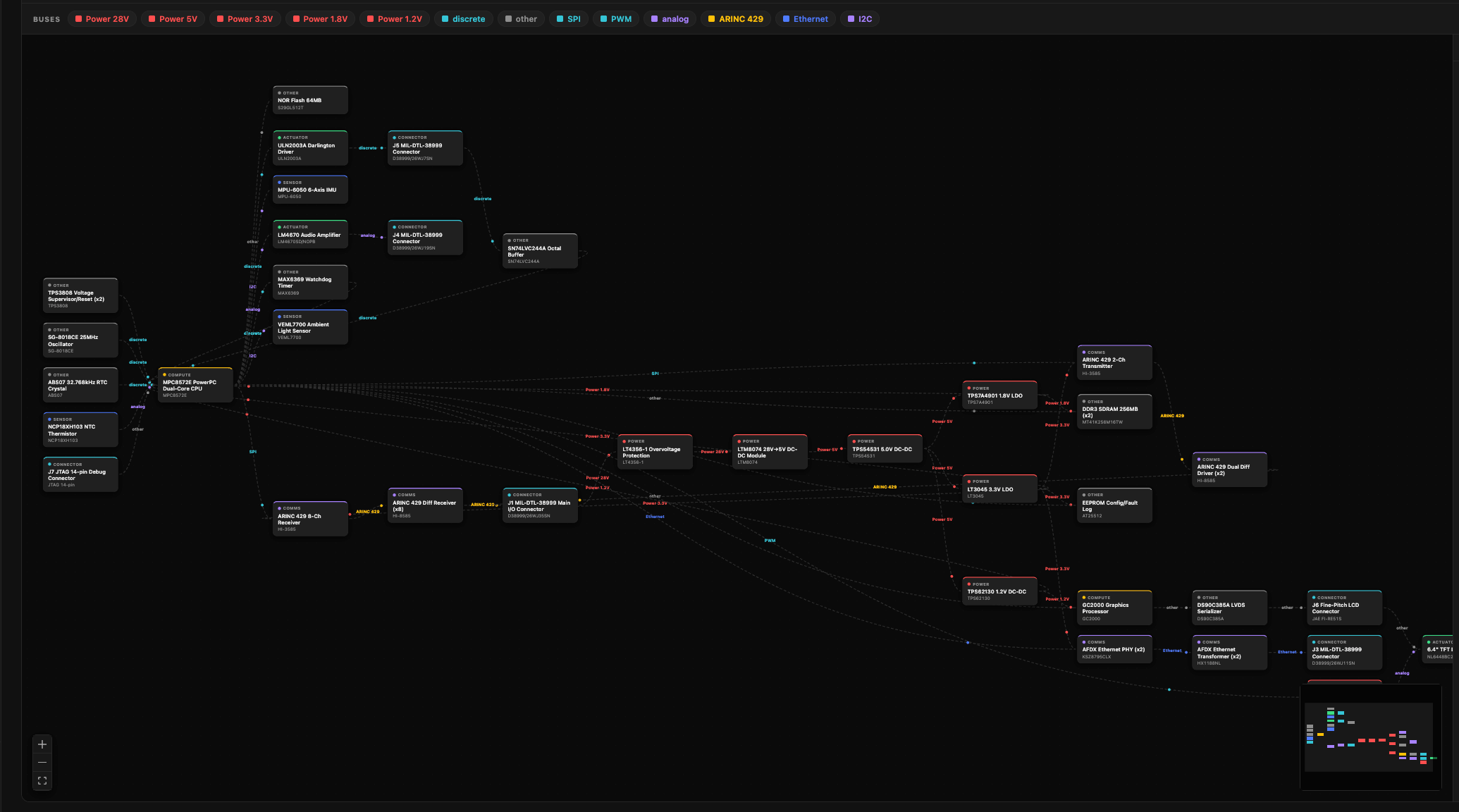
> An auto-generated hardware block diagram of your project — subsystems, components, and the buses between them — built from your BOM and schematics.
Seb builds a block diagram of your hardware from files you've already uploaded, so you can see the whole system — subsystems, components, and the buses wiring them together — at a glance.
**Where:** Platform → **System** page (`/system`).
 ## What you need
The diagram is generated from your [hardware context](/guide/hardware-context):
* **BOM** or **schematic** — at least one is required. Without either, the page points you to the Context page to upload one.
* **Datasheets** and **requirements** — optional, used to infer connections the schematic doesn't spell out.
## Generate it
Press **Generate diagram**. Generation runs in the background — it can take a couple of minutes — and the diagram appears when it's ready. A model picker lets you choose which model builds it (defaults to Claude Sonnet).
Hit **Regenerate** from the toolbar whenever your hardware changes.
## Read the diagram
* **Blocks** are components, colored by role — controller, sensor, actuator, comms, power, connector.
* **Edges** are connections, labeled with the bus or protocol (CAN, ARINC 429, SPI, I²C, UART, Ethernet, power…) and direction.
* **Solid vs. dashed edges** show confidence: a **solid** line is grounded in your schematic, netlist, or ICD; a **dashed** line is **inferred** from datasheets or requirements — treat it as a suggestion to verify.
## Explore
* **Click a block** to highlight it and everything wired to it.
* **Subsystem rail** (right) groups blocks by function — click a subsystem to isolate it, or expand it to read its description and component list.
* **Bus filter** — click a protocol chip (e.g. CAN) to show only that bus.
* **Data-flow toggle** animates signals travelling along every edge at once, so you can watch the full data flow move through the system end to end.
* **Copy Mermaid** exports the diagram source for use elsewhere.
The diagram is read-only — to change it, update your BOM or schematic and regenerate.
## See also
* [Guide → 2. Add hardware context](/guide/hardware-context) — where the BOM, schematics, and datasheets that drive the diagram are uploaded.
## What you need
The diagram is generated from your [hardware context](/guide/hardware-context):
* **BOM** or **schematic** — at least one is required. Without either, the page points you to the Context page to upload one.
* **Datasheets** and **requirements** — optional, used to infer connections the schematic doesn't spell out.
## Generate it
Press **Generate diagram**. Generation runs in the background — it can take a couple of minutes — and the diagram appears when it's ready. A model picker lets you choose which model builds it (defaults to Claude Sonnet).
Hit **Regenerate** from the toolbar whenever your hardware changes.
## Read the diagram
* **Blocks** are components, colored by role — controller, sensor, actuator, comms, power, connector.
* **Edges** are connections, labeled with the bus or protocol (CAN, ARINC 429, SPI, I²C, UART, Ethernet, power…) and direction.
* **Solid vs. dashed edges** show confidence: a **solid** line is grounded in your schematic, netlist, or ICD; a **dashed** line is **inferred** from datasheets or requirements — treat it as a suggestion to verify.
## Explore
* **Click a block** to highlight it and everything wired to it.
* **Subsystem rail** (right) groups blocks by function — click a subsystem to isolate it, or expand it to read its description and component list.
* **Bus filter** — click a protocol chip (e.g. CAN) to show only that bus.
* **Data-flow toggle** animates signals travelling along every edge at once, so you can watch the full data flow move through the system end to end.
* **Copy Mermaid** exports the diagram source for use elsewhere.
The diagram is read-only — to change it, update your BOM or schematic and regenerate.
## See also
* [Guide → 2. Add hardware context](/guide/hardware-context) — where the BOM, schematics, and datasheets that drive the diagram are uploaded.